
A virtual PDF printer for Windows, with templates that route each capture where it needs to go.
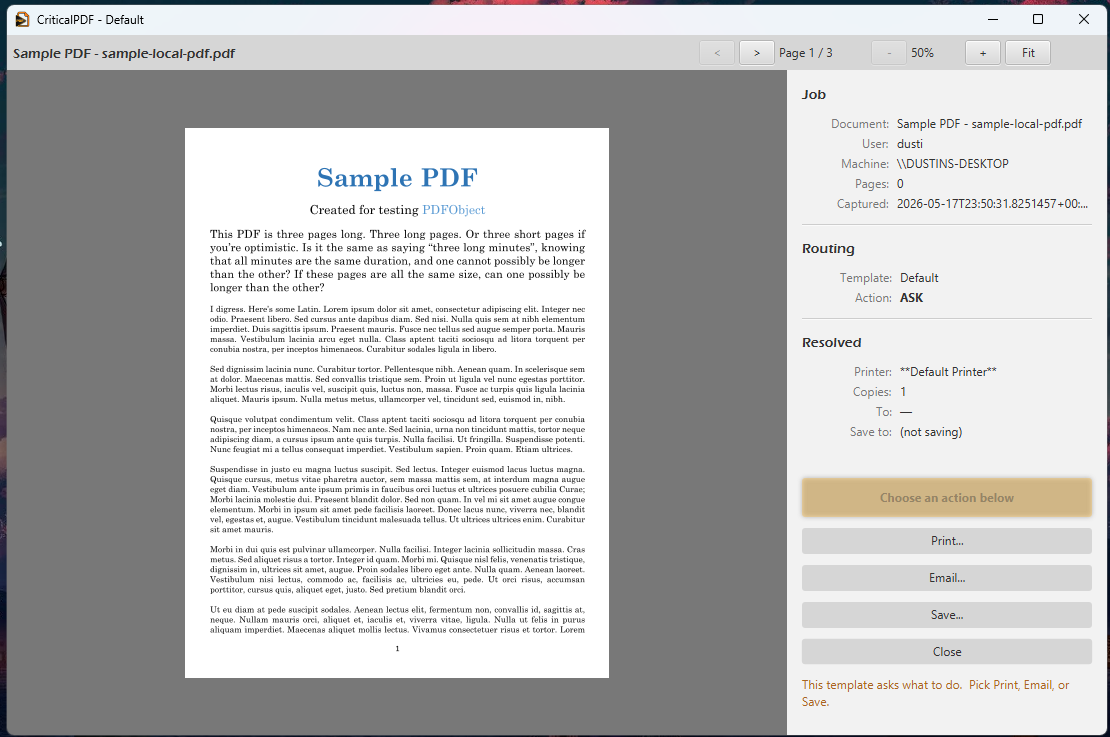
Anything on a Windows machine that can print can send documents to CriticalPDF: Word, Outlook, Chrome, your line-of-business apps, whatever else. The desktop app matches each capture against your templates and does whatever the template says. That might be saving the PDF somewhere, emailing it, printing it to a real printer, or some combination.
Signed MSI · Windows 10, 11, and Server 2016 through 2025 · 64-bit
- Installs the whole suite
- 1 MSI
- Capture from any printer
- Any app
- Per year after 30-day trial
- $149/user
- Workstations & RDP hosts
- Win 10/11 + Server
What's in the suite
Six pieces, one MSI.
The whole suite ships in one installer. Here's what each part does.
Print to it from any Windows app
Installs as a Windows printer driver. Anything that can print can send documents to CriticalPDF: Word, Outlook, Chrome, AutoCAD, or whatever your line-of-business software happens to be.
One template per document type
You define a template for each kind of document you print regularly: invoices, statements, discharge summaries, work orders. CriticalPDF reads text from every captured PDF and picks the matching template.
Gmail, Microsoft 365, SMTP, or Computer Team
Sign in to your email provider once, in Settings. Templates just say what to send. Switching providers later doesn't need any template edits.
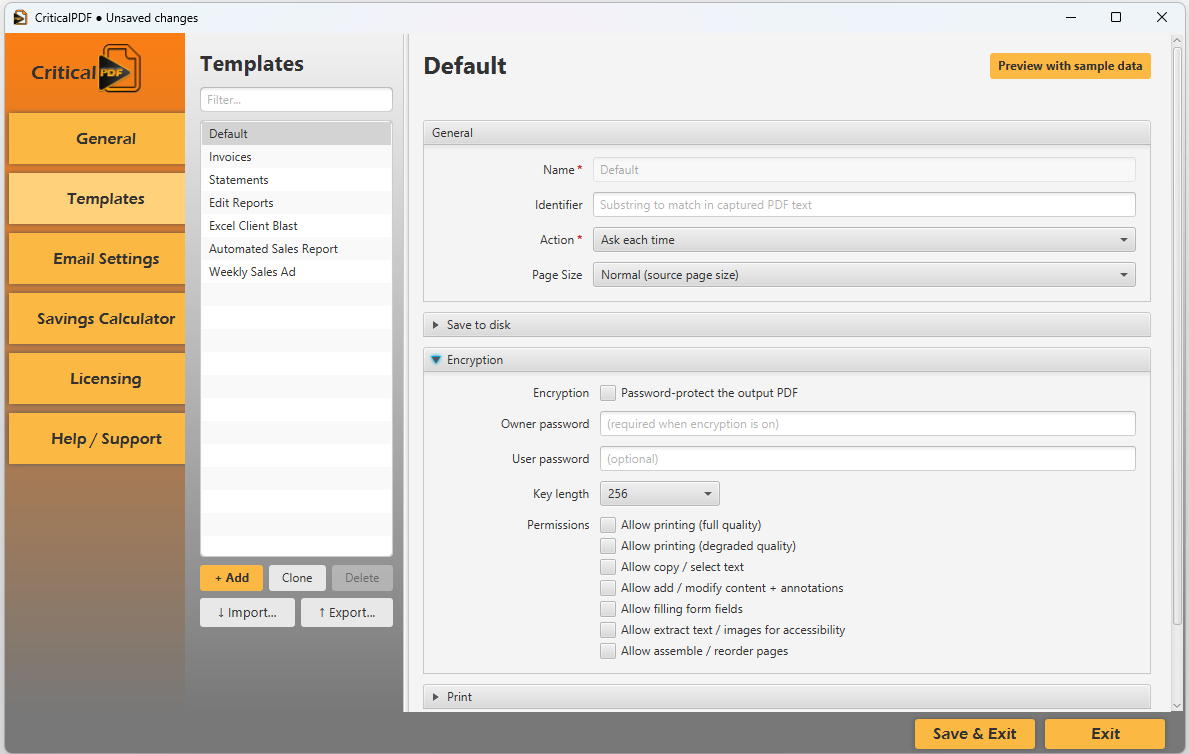
Per-template PDF encryption
Set the encryption on each template independently. Recipients get access to what you decide they can do: print, copy text, modify, fill forms, extract text. AES-128 or AES-256.
Track what you save on paper mail
Set your per-piece costs once (stamps, envelopes) and per-page costs (paper, toner) and per-job labor. The app tallies the paper-mail expense you've avoided and gives you running totals across common date ranges.
Split print runs into individual documents
You can print a job that contains hundreds or thousands of separate documents. Put an <end> marker between each one and CriticalPDF splits the job at the markers. Each sub-document gets its own template match, its own variables, and its own destination.
Security
How CriticalPDF handles secrets
SMTP passwords and OAuth refresh tokens live in the Windows Credential Manager instead of the config file. Every captured PDF can be encrypted with the permissions its recipient should have. The service's management API listens on loopback only, so nothing on the network can talk to it.
- SMTP passwords and OAuth tokens live in the Windows Credential Manager (DPAPI), not in config.json
- Per-template AES encryption with granular recipient permissions
- The offline licence cache is HMAC-signed, so it can't be forged or hand-extended
- Dead-lettered captures are sealed with a random per-install key
- Management API binds to 127.0.0.1 and never listens on the network
- Diagnostic bundles redact secrets before they leave the machine
Try it on one machine.
The 30-day trial unlocks every feature. Install from the same MSI as the paid product; apply a licence later if you decide to keep it.